

If you run a local business or manage its marketing, you probably know you should ask for more Google reviews. The awkward part is doing it without sounding needy or turning a good customer experience into a nagging follow-up sequence. Many businesses fall into one of two camps: they never ask, so satisfied customers disappear quietly, or they ask too often and make the request feel transactional. Boostify360 helps local businesses make reviews part of a repeatable Google Business Profile workflow, but the principle is simple: ask genuine customers at the right moment, remove unnecessary friction, and make the request feel human. You do not need to chase people for five stars. You need a process that makes honest feedback easy.
Why “Just Ask” Isn’t Enough
A customer can genuinely intend to leave a review and still forget minutes later. A plumber finishes a repair, the customer says, “Perfect, thanks,” and agrees to review the business. Then a work call comes in and the review disappears from their mind.
The problem was not the service. It was friction.
Google says local results are mainly based on relevance, distance, and prominence, and that more reviews and positive ratings can help a business’s local ranking. For the wider reputation and visibility context, Boostify360 also explains how reviews directly affect click-through rates and map visibility.
You may also see local SEO discussions claiming that review volume and review velocity are ranking signals Google actively evaluates. Google’s public documentation confirms review count and positive ratings as factors that can help local ranking, but it does not publicly identify “review velocity” as a separate ranking signal. The safer takeaway is to build a steady, genuine review process rather than launching occasional review drives.
How to Get More Google Reviews Without Annoying Customers
1. Ask at the Right Moment
Timing matters more than clever wording.
Ask after the customer has experienced the result. For a home-service business, that may be after the customer checks the completed work. For a salon, it could be after the client sees the finished style. For a restaurant, it may be after the meal or in a short post-visit message.
For physical products, give customers enough time to receive and use what they bought.
Do not ask halfway through a job, during a complaint, or before the customer has had a fair chance to judge the experience.
2. Use a Direct Google Review Link
“Search for us on Google and leave a review” sounds easy, but it adds unnecessary steps.
The customer has to search for your business, find the correct profile, and locate the review option. Each extra step creates another chance to stop.
Google lets Business Profile owners create and share a direct link from Read reviews > Get more reviews, with a QR code option too. A Google review link generator can also make the link easy to retrieve and share.
3. Use QR Codes for In-Person Customers
QR codes work well for in-person businesses such as salons, cafes, repair shops, gyms, and retailers.
Google suggests placing review links or QR codes on receipts, in thank-you emails, at the end of chats, or in-store. Its review QR code is currently generated from a computer browser.
Keep the placement subtle. A counter card is useful. Standing over someone while they scan it is not.
Google’s policy says merchants should not require or pressure customers to leave reviews while on the premises.
4. Ask Through the Channel the Customer Already Uses
If the customer booked through WhatsApp, a short WhatsApp request will usually feel more natural than a formal email. If you normally use email, use email. The best channel is usually the one the customer already recognises.
5. Keep the Request Short
A Google review request should not need three paragraphs of explanation.
Try:
“Hi [Name], thanks again for choosing us today. If you have a moment, we’d appreciate an honest Google review: [link].”
That is enough.
Keep it clear, optional, and short.
6. Personalise the Ask Without Coaching the Review
Small details make automated messages feel human.
Use the customer’s name where appropriate. Mention the completed service, purchase, appointment, or visit. If a staff member sends the message, they can sign it with their own name.
What you should not do is tell customers to mention a specific employee, service keyword, or phrase in the review. Google’s policy prohibits requesting specific content in solicited reviews, including content identifying a staff member.
Personalise the request, not the review itself.
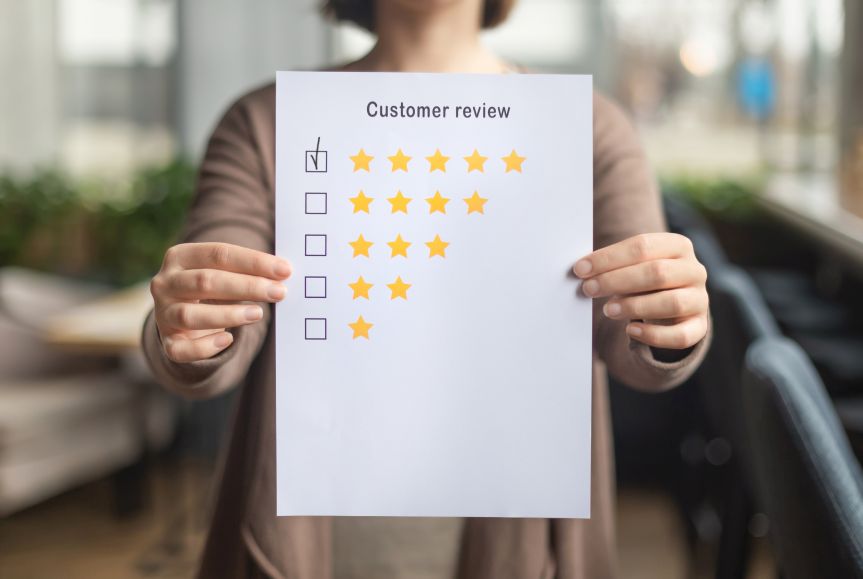
7. Ask for an Honest Review, Not a Five-Star Review
Ask, “Would you leave us an honest review?” rather than, “Can you leave us a five-star review?”
Google says reviews must reflect genuine experiences and prohibits rating manipulation, including selectively soliciting positive reviews or pressuring customers to leave particular ratings or content.
Your system should create opportunities for real feedback, not manufacture a perfect rating.
8. Send One Sensible Follow-Up, Then Stop
People miss messages. One polite reminder can be reasonable.
For example:
“Hi [Name], just following up in case you missed this. If you’d like to share feedback about your experience, here’s our Google review link: [link]. Thanks again.”
Then leave it alone.
Repeated reminders can quickly become irritating. The relationship is worth more than one review.
9. Make It Feel Like a 10-Second Action
You cannot remove every step from Google’s review process, but you can remove the steps you control.
Send one direct link or provide one QR code instead of making customers search for your profile.
Customers must be signed into a Google Account to review a business. They do not need a Gmail address because a Google Account can use a non-Gmail email address.
That is why “no login required” is not a promise businesses should make.
10. Build the Ask Into Your Normal Workflow
The businesses that consistently receive reviews usually do not rely on somebody remembering to ask.
Create a simple trigger:
Job completed → Thank-you message → Review request
Or:
Appointment finished → Follow-up message → Review link
Or:
Product delivered → Appropriate usage period → Review request
This turns review generation into a routine process. Automation can help, but the message should still sound human.
11. Segment by Eligibility, Not Expected Sentiment
Segmentation is useful when it controls timing and relevance.
For example, send requests after a completed service or delivered order, and avoid repeatedly messaging customers who have already been asked.
Do not pre-screen people based on whether they seem happy and then send the Google link only to the positive group.
That is review gating. Google explicitly prohibits discouraging negative reviews or selectively soliciting positive reviews.
Ask eligible customers fairly and let them decide what feedback to leave.
12. Stop Repeatedly Asking People Who Already Reviewed You
Nothing makes an automated system feel more robotic than sending another review request to somebody who has already reviewed the business.
Where your workflow allows it, record who has already been asked. This matters especially for repeat customers who should not receive the same request after every visit.
13. Give Staff One Natural Way to Ask
Your team does not need a rehearsed sales pitch.
A simple line works:
“If you’d like to share feedback later, there’s a Google review link on your receipt.”
Or:
“Thanks for coming in today. If you’d like to leave feedback, you can use the QR code at the counter.”
Avoid review quotas or telling staff they must collect a certain number of reviews. Google’s rating-manipulation policy specifically lists requiring staff to solicit a certain number of reviews as prohibited behaviour.
14. Use Passive Reminders as Well as Direct Requests
Not every customer needs a verbal ask.
A review prompt can sit naturally on a receipt, thank-you email, post-service message, or in-store card. Google recommends several of these placements. Passive reminders let customers act when convenient.
How to Ask for a Google Review: Examples You Can Copy
The best review-request templates are short, neutral, and easy to personalise.
Text Message
Hi [Name], thanks again for choosing [Business] for [service] today. If you have a moment, we’d appreciate an honest Google review: [review link]. Thanks again!
Subject: Thanks for choosing [Business]
Hi [Name],
Thanks again for choosing us for [service/purchase].
If you have a minute, we’d appreciate an honest Google review about your experience. It helps other customers know what to expect.
[Review link]
Thanks,
[Name / Business]
In-Person
“Glad we could get that sorted for you. If you’d like to share feedback later, I can send you our Google review link.”
Follow-Up Reminder
Hi [Name], just following up in case you missed our earlier message. If you’d like to share your experience, here’s our Google review link: [link]. Thanks again for choosing us.
Notice what these examples do not say: “five-star review” or “mention my name.” The customer decides what to write.
What Not to Do When Asking for Google Reviews
Don’t Offer Discounts, Freebies, or Rewards
Do not offer discounts, free products, loyalty points, competition entries, payments, or other incentives in exchange for posting, changing, or removing a review.
Google classifies incentivised reviews as fake engagement and prohibits them.
Don’t Use Review Gating
Do not ask customers privately whether they were happy and send only the satisfied customers to Google.
Collecting private feedback is fine. Using it to decide who gets a Google review request is not.
Don’t Pressure Customers or Coach Their Wording
Do not stand over customers while they review you, insist they complete a review before leaving, or tell them what rating or wording to use.
Google specifically prohibits pressure and requests for specific review content.
Don’t Ignore Negative Reviews While Chasing Positive Ones
A five-star review does not erase an unanswered complaint. Respond professionally to critical feedback, protect private information, and move detailed dispute resolution to a private channel when appropriate.
Respond to the Reviews You Get
Getting the review is only half the job.
Google recommends replying to reviews because it shows customers that their feedback matters. It also advises businesses to keep replies professional, relevant, short, and useful rather than posting the same generic response under every review.
For positive reviews, thank the customer and respond to something they mentioned. For negative reviews, stay calm, protect private information, acknowledge the concern, and provide an appropriate next step.
A profile with genuine positive and negative feedback plus thoughtful owner responses can look more credible than one that appears artificially perfect. Google itself notes that a mix of positive and negative feedback can feel more trustworthy.
Frequently Asked Questions (FAQs)
How Can I Get More Google Reviews Quickly?
Ask recent genuine customers soon after a completed purchase, visit, or service, and give them a direct review link or QR code. Build the request into your normal workflow instead of sending a large one-off campaign.
What Is the Best Way to Get a Google Review From a Customer?
Ask at a natural point after the customer has experienced the service, keep the request short, ask for honest feedback, and provide a direct link that removes unnecessary steps.
Can Google Detect Fake Reviews?
Google says it uses automated systems, AI models, pattern detection, and expert analysts to identify policy-violating content. In 2025, Google says it blocked or removed more than 292 million policy-violating reviews while publishing more than one billion helpful reviews.
Can I Pay Customers to Leave Google Reviews?
No. Google prohibits payments, discounts, free goods, services, and other incentives offered in exchange for posting, changing, or removing reviews.
Make Google Review Requests Part of the Customer Journey
Getting more Google reviews does not require repeatedly asking customers for five stars. It requires a simple system: ask genuine customers at an appropriate moment, make the action easy, request honest feedback, send no more than a sensible follow-up, and respond to the reviews you receive.
Boostify360 includes review management alongside local ranking, Google Business Profile, lead, and marketing workflows, helping local businesses keep review activity connected to the rest of their local growth process.
Start with the simplest improvement: create your direct Google review link, decide exactly when customers should receive it, and make that request part of the workflow you already use. Once the process is consistent, getting reviews stops being an awkward favour and becomes a normal part of serving customers well.